Booking: what's different
Your calendar, appointments and check-in work the way you know. Here is what moved.
NewWhat's new
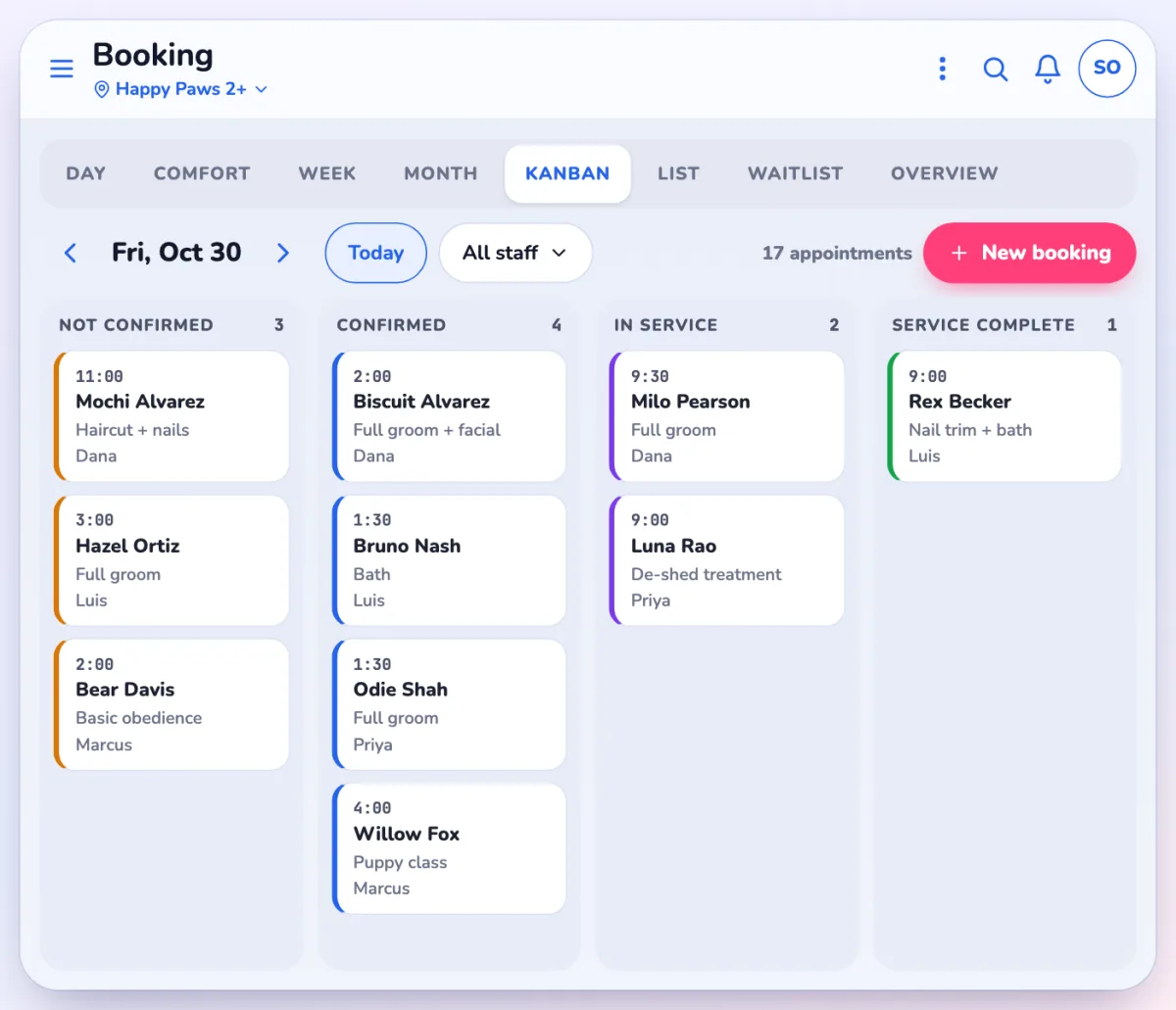
Kanban, Month and OverviewNew ways to see the day, next to Day and Week.
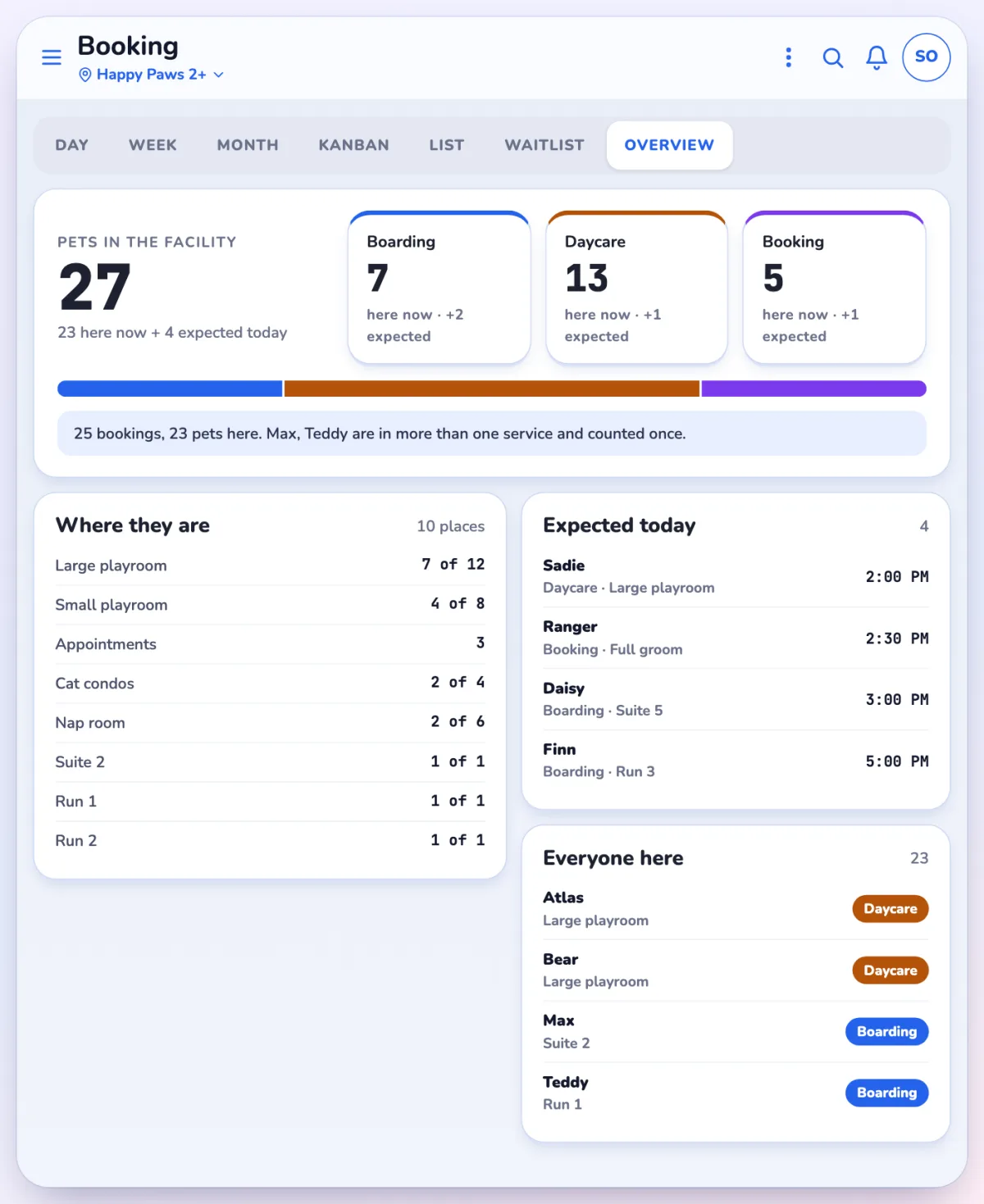
Boarding OverviewCounts pets, so you see who is actually in the building.
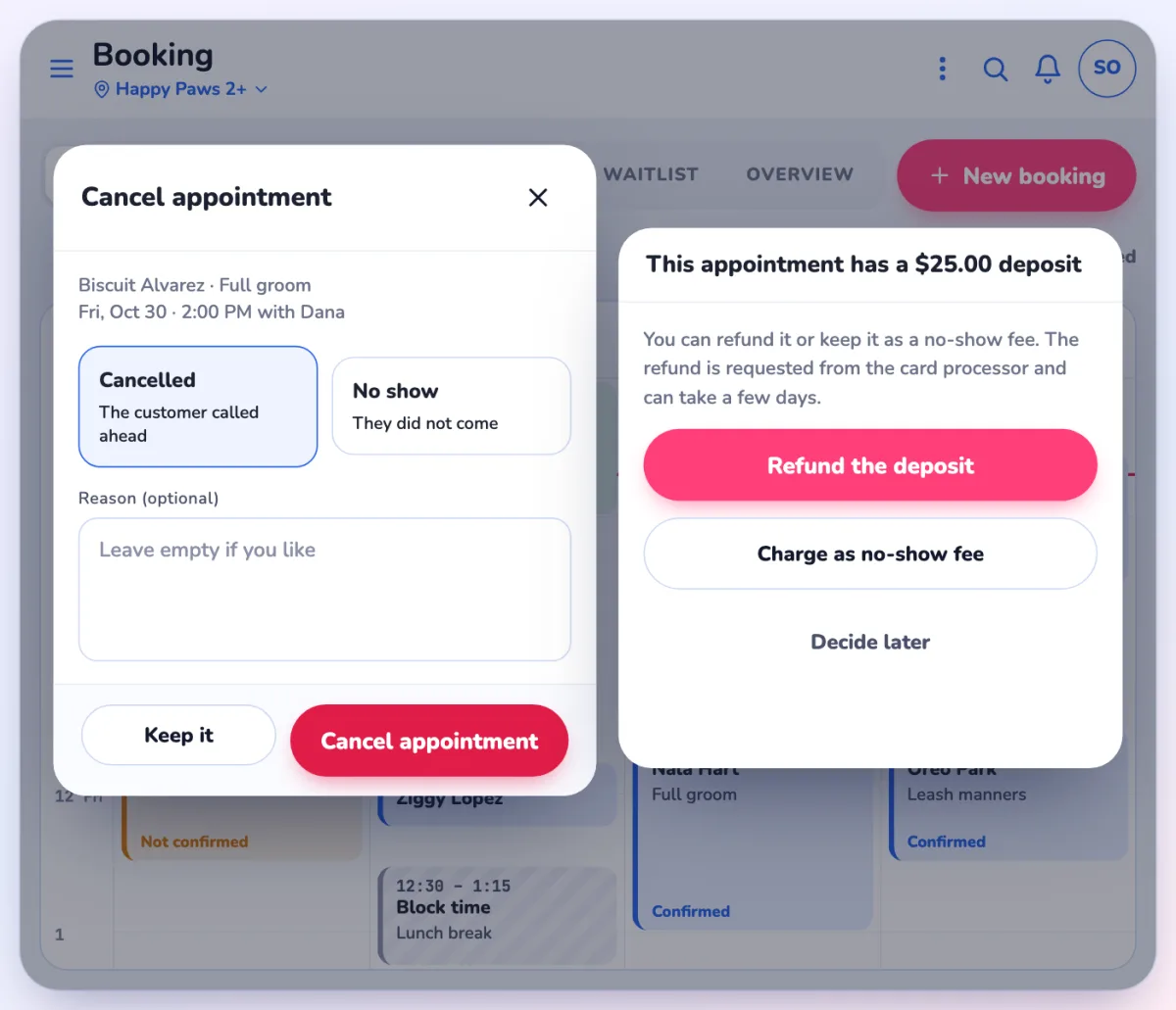
One question for depositsRefund the deposit, charge a no-show fee, or decide later.
Cancel and no-show
Reason
BeforeA reason was required.
NowA Reason is optional. On phones there are quick reasons to tap.
Deposit on cancel
BeforeA separate Cancel and charge or refund deposit row.
NowOne row, Cancel / no show, then a question: Refund the deposit, Charge as no-show fee or Decide later.
Deposits
Taking a deposit
BeforeLoaded to the house account with any payment type.
NowTaken by card and charged right away on the booking's own ticket.
Appointment menu
Names
BeforeNotify. Undo check in. Add to check out / Remove from check out.
NowNotify parent. Use Appointment status to change status and Add to cart to bring it to the register.
The calendar
- Board is now Kanban. New views: Month, Comfort and Overview.
- The calendar goes back about 14 days.
- Rebook is one button, one month out.
- The waitlist is a full page with matching.
- Staff schedules are editable in the app. If someone shows a "not working" warning, check their schedule first.
Boarding
- Summary is now Overview, and it counts pets where the old Summary counted bookings. Your daily numbers will look different.
- Check in and Check out have new wording; the "check out the other stays too" prompt is gone.
- Run cards print as one card instead of three.
Settings
Settings > Booking > Booking settings has seven tabs and can be edited in the app. What the old app called a Department is now a Booking group.
Still the same
- Statuses and check-in prompts
- Permission and PIN rules
- Care schedules and logs for boarding
Questions? Use Help or Ask Pulse in the app, or contact Franpos support.



















