Inventory: what's different
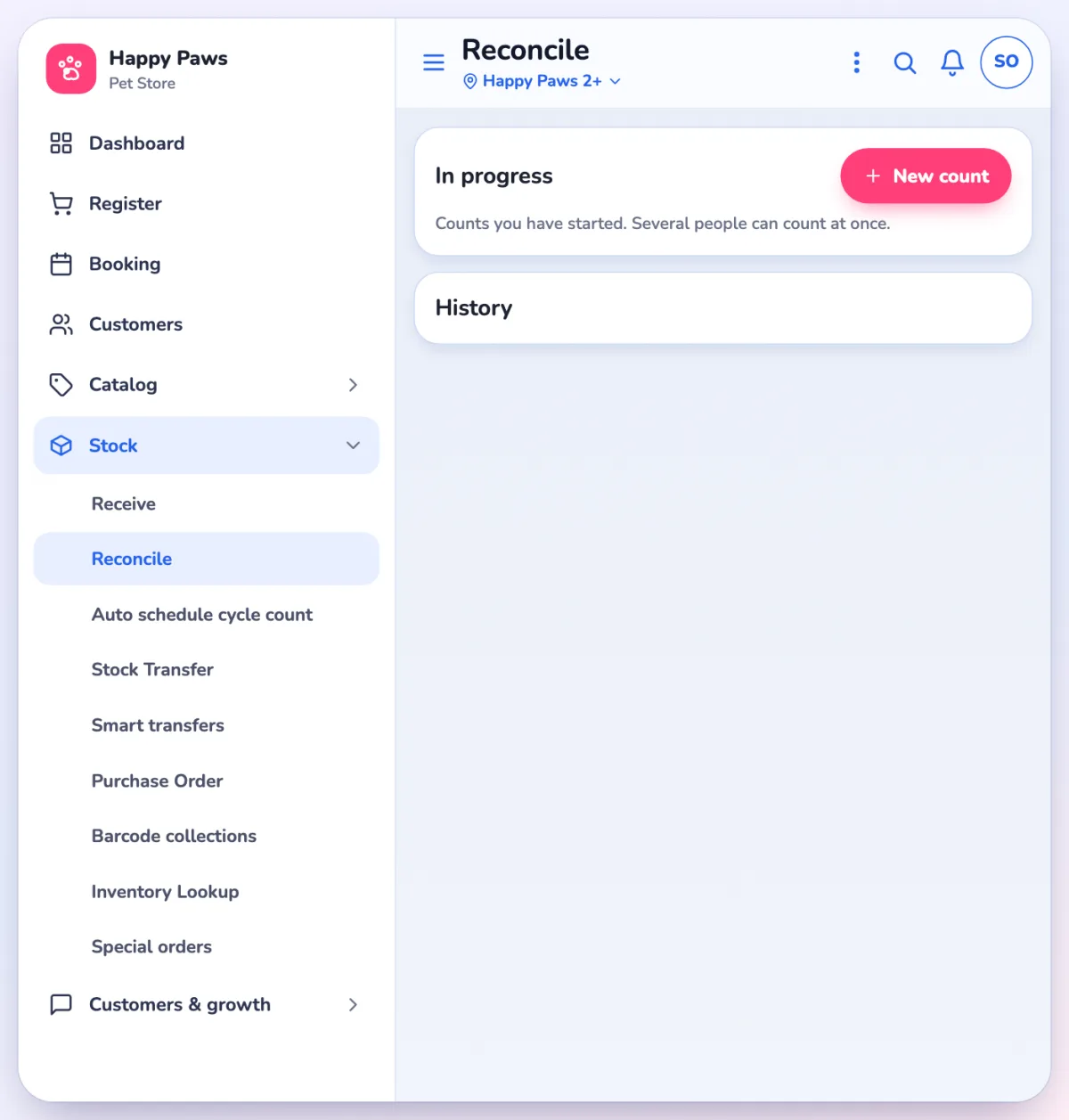
Counting, receiving and ordering now live in the app, under one Stock menu.
NewWhat's new
Where things are
Catalog holds products, categories, brands and vendors. Stock holds Receive, Reconcile, Auto schedule cycle count, Stock Transfer, Smart transfers, Purchase Order, Barcode collections, Inventory Lookup and Special orders.
Counting and receiving
- Receive and Reconcile are two pages, each with your In progress drafts and a History.
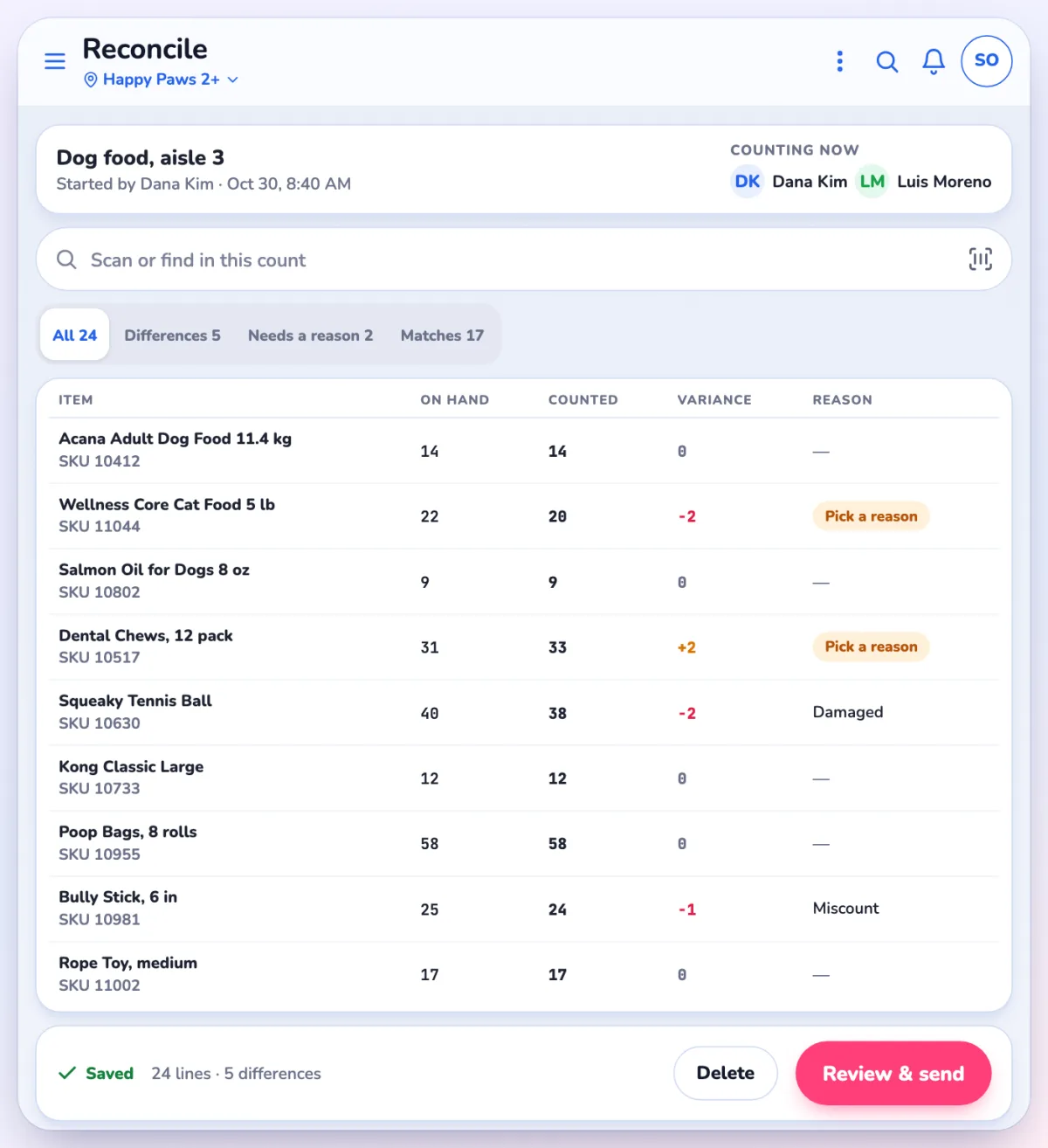
- A count saves as you go, and several people can count the same Reconcile at once.
- Review & send, then Send & apply to stock. Nothing changes stock until then.
- Zero out missing items now needs a category, vendor or brand, and can't be changed once the count starts.
Stock files
Purchase orders
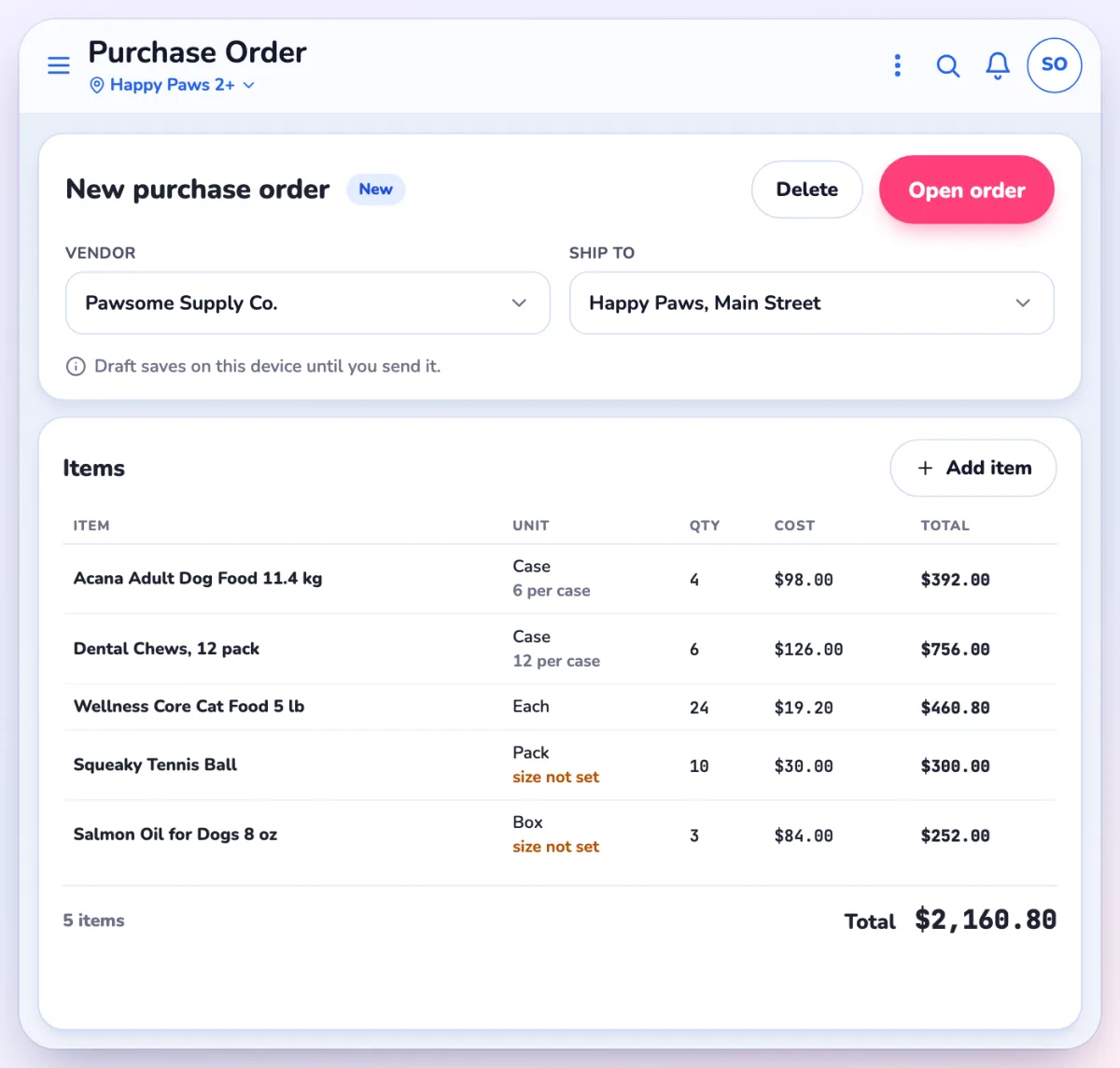
- Drafts stay on the device you started them on, with status New, until you tap Open order. Deleting a draft offers Undo.
- Vendor units were reset. Each vendor row now has a Unit (Case, Pack, Box or Each) and Qty / Unit, set under the product's Vendors and purchasing. Until you set them, orders show "size not set".
- Receive and Complete are separate permissions (rules 49 and 9025). By default nothing changes.
Product editor
Same fields with new names: Stock on hand, Min reorder point, Max reorder point, Aisle / bin number, Track inventory, Discontinued, Not for sale. Stores with several locations get a grid with Stock, Min and Max per location.
Labels
New Print labels buttons on purchase orders and transfers (tablet size and up), and Print barcode labels on the product list. Settings > Product > Label printing has a label designer.
Questions? Use Help or Ask Pulse in the app, or contact Franpos support.



















