Register: what's different
Add items, take payment, print a receipt: it works the way you know. Here is what moved.
NewWhat's new
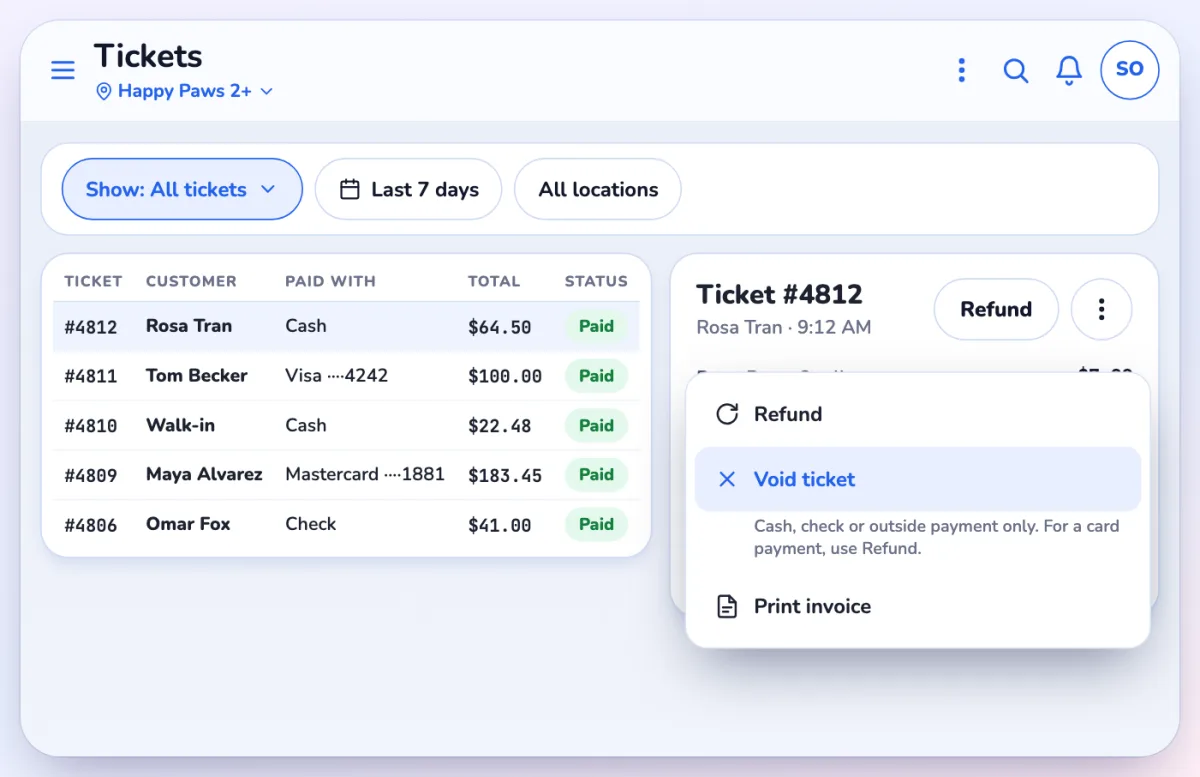
Void a finished saleCash, check and outside payments can now be voided from the ticket.
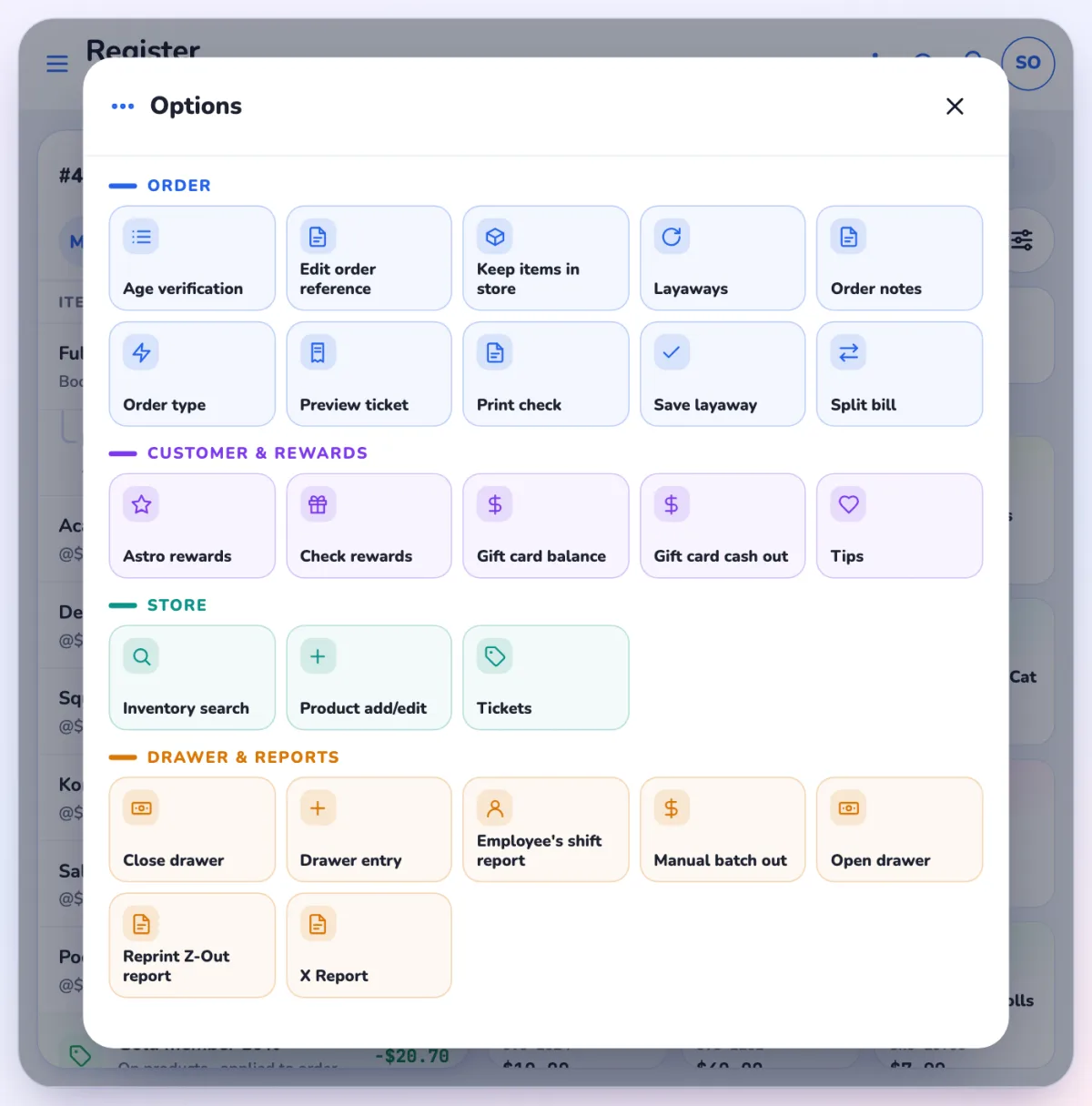
A tidier Options menuTiles grouped by Order, Customer & rewards, Store and Drawer & reports.
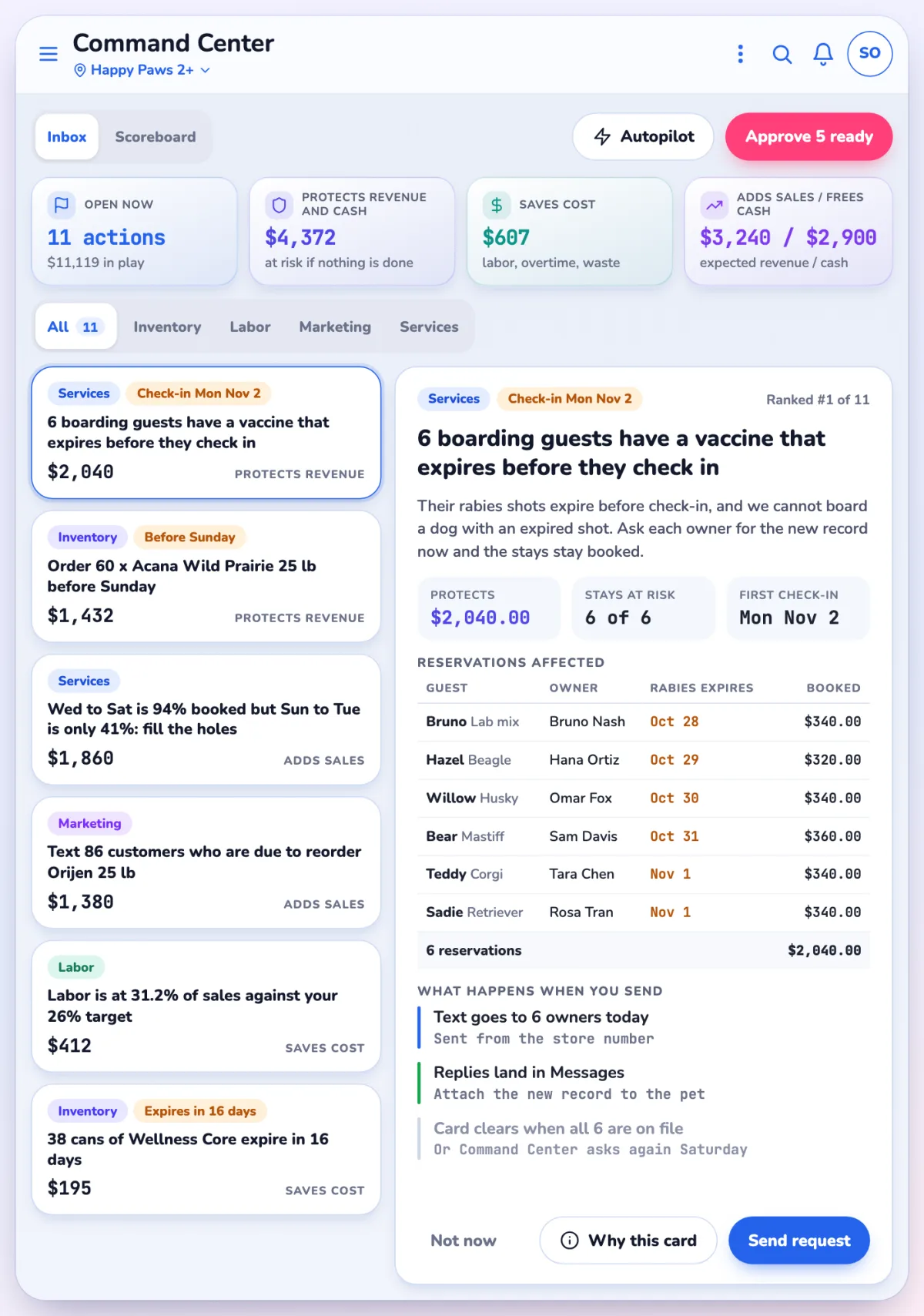
Command CenterWhat needs you next, most important first.
Before you update
Close the cash drawer on the old app. Count it and run the Z report first. An open drawer, the old drawer history and unsent time-clock punches do not carry over. Held tickets and unsent sales do.
Your first morning
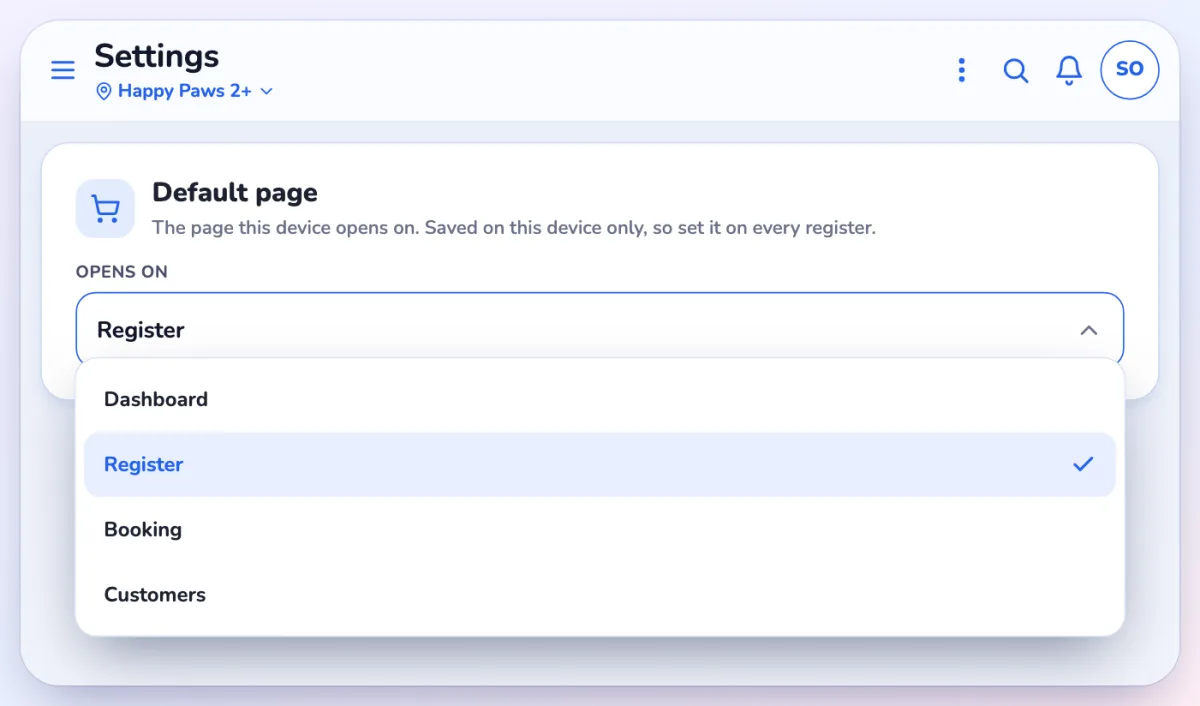
- The app opens on the Dashboard. On each register choose Settings > Default page > Register. It is saved per device, so do it on every till.
- Switching cashiers needs internet. With no connection only the person who locked the register can unlock it with their own PIN. The sidebar button is now Lock.
Selling
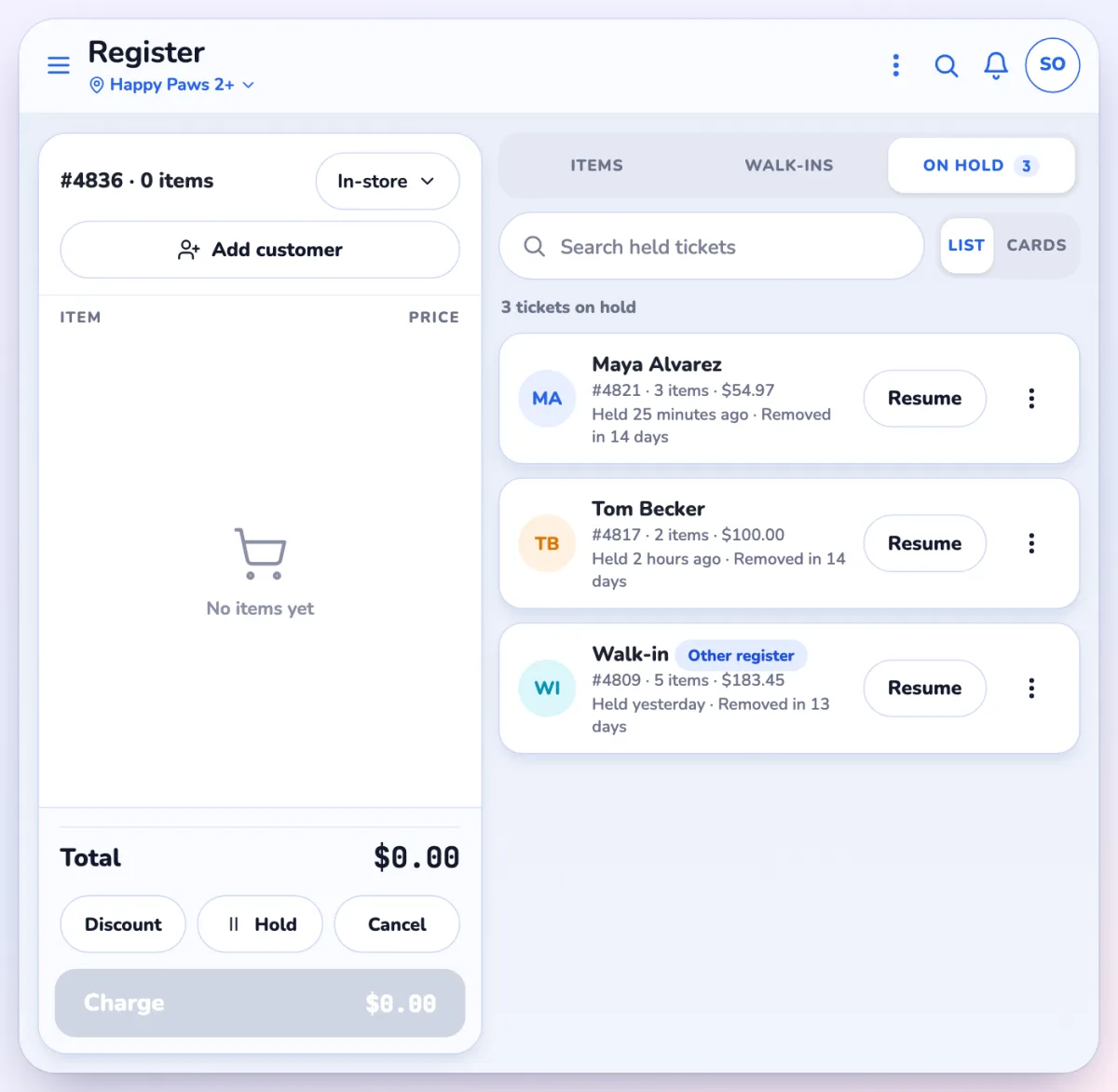
Held tickets
BeforeOpened from the Tickets module, with Resume and Pay.
NowOn the Register's On hold tab, each with Resume. Resume, then Charge. On a phone, tap Held tickets (n).
Options menu
BeforeA list you could reorder.
NowTiles grouped under Order, Customer & rewards, Store, Drawer & reports and More. Split check is now Split bill.
Voiding
BeforeVoid order was in Options for sent tickets. Finished sales could only be refunded.
NowSent tickets: On hold tab, ⋮ > Void. Finished sales: ⋮ > Void ticket if paid entirely by cash, check or outside payment (and you have the permission). Card payments: use Refund.
Taking payment
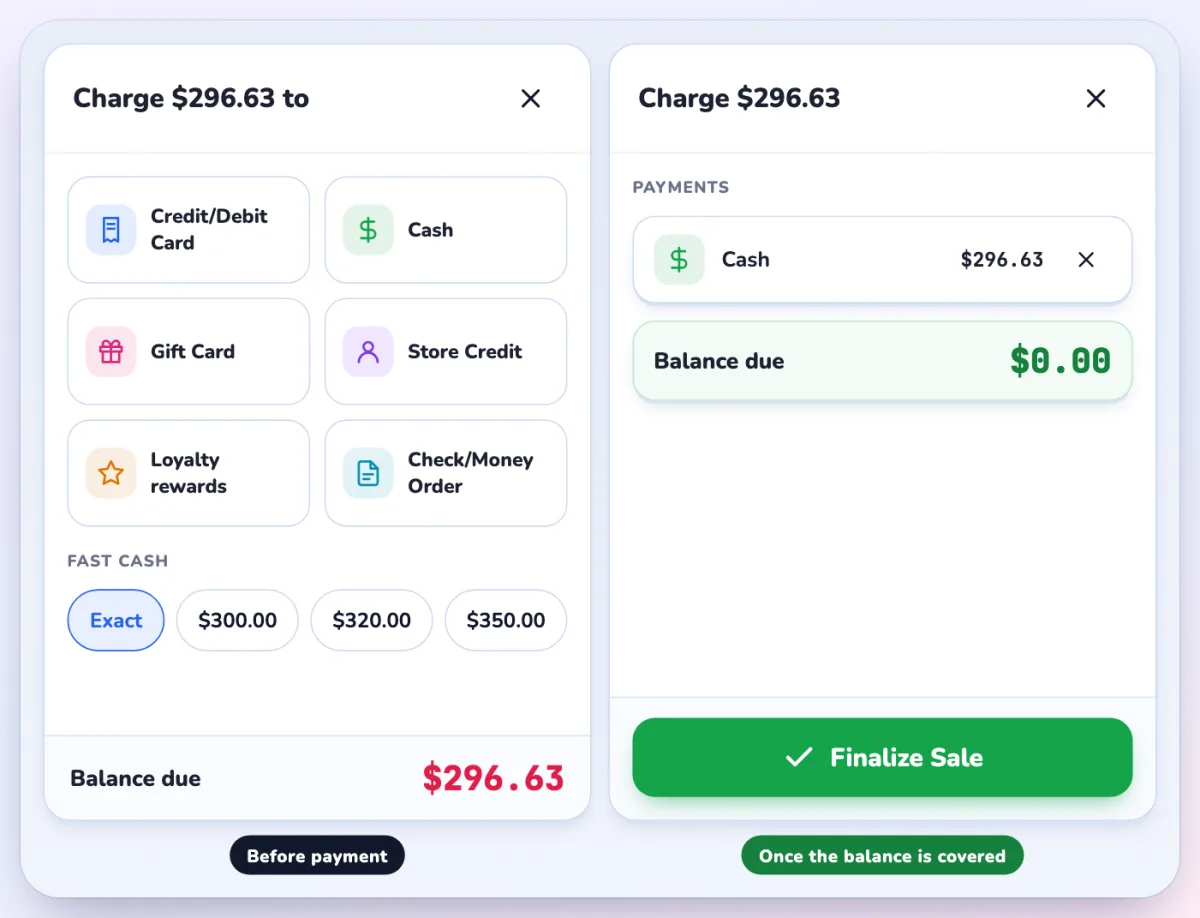
Payment screen
Before"Select payment type", with Finalize always showing.
NowCharge $X to. Finalize Sale appears once the balance is covered. To bring back the old words: Settings > Company settings > This register's display > Use "Select payment type".
Gift cards
BeforeA blocking Card activation step after the sale.
NowThe sale finishes first and the card goes live a moment later; the register's sync banner counts any that are still waiting.
Loyalty
Before"Apply loyalty program before payment".
NowNo such setting: the Loyalty rewards tile is always on the payment screen.
Sale-complete screen
BeforeMany buttons, including Close order.
NowPayment complete: Print customer receipt, Print merchant receipt, Print gift receipt, Done. Invoice printing is on the ticket's ⋮ menu.
Tickets and refunds
- Tickets shows finished sales. Its Show filter: All tickets, Returns, Voided/Deleted, Layaways, Offline payments. It starts on the Last 7 days.
- Refund is a button on the ticket (and in ⋮). It is greyed out, with the reason, when it can't be used.
Kitchen screens
The old kitchen display app is not supported. Move the kitchen screens at the same time as the registers.
Still the same
- Hold, cancel and delete PIN rules, refund PIN and return reasons
- Fast cash, split payments, discounts, tips, gift cards, store credit
- Check/Money Order, Outside Payment, tables (Move table, Merge with..., Clear table)
- Open drawer, Close drawer, X Report, Z report and Shift report, with the same permissions
- Sales with no internet still save and upload later
Questions? Use Help or Ask Pulse in the app, or contact Franpos support.



















